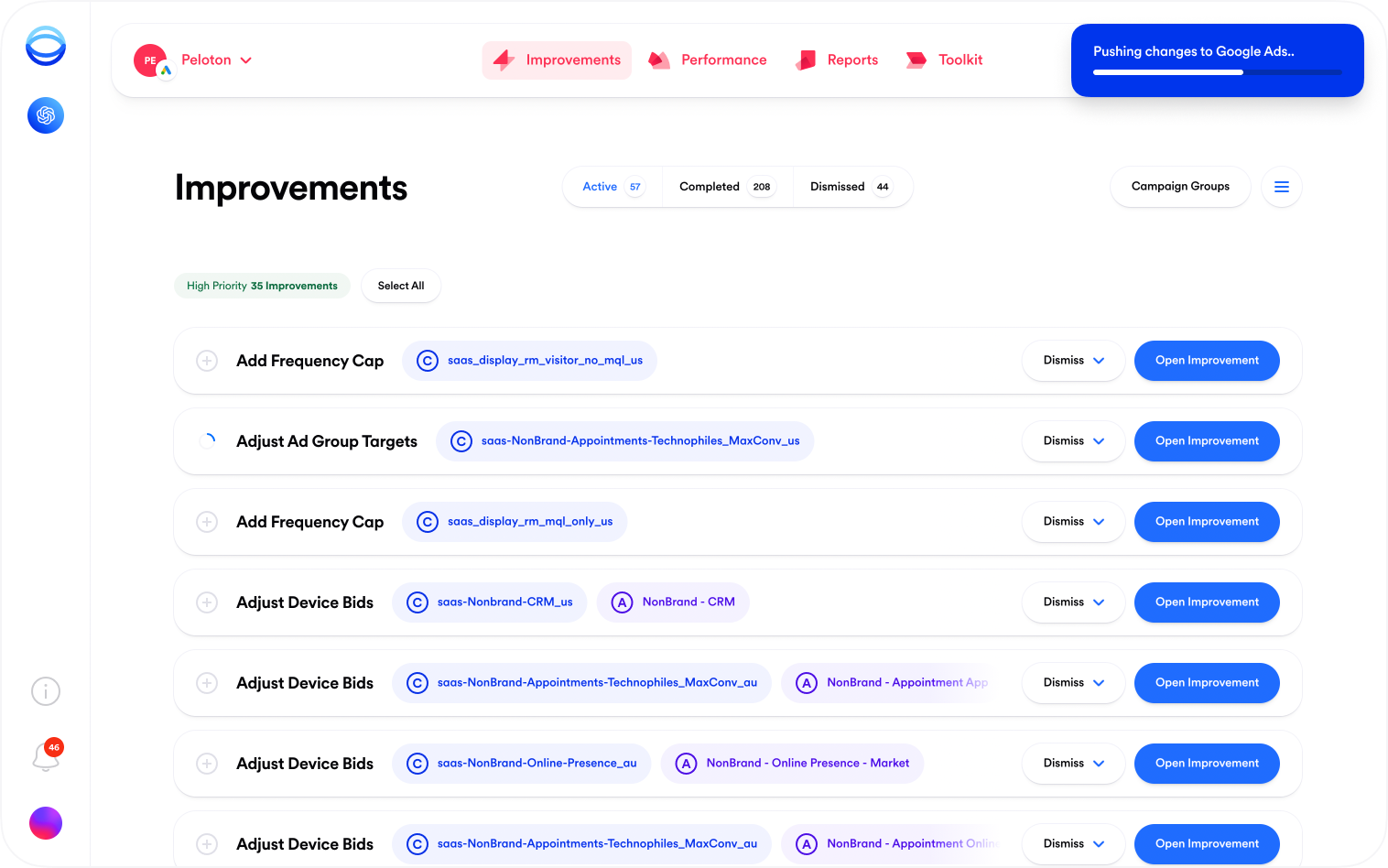
The first in a series of small updates — today we're excited to share an improved pushing mechanism for improvements. No more waiting for an improvement to complete before moving on to the next one — improvements now push asynchronously, giving you the space to push another improvement while you wait for the first one to finish (or do something else entirely).
December 26th 2025 at 3:57am

Improvement Pushing

The first in a series of small updates — today we're excited to share an improved pushing mechanism for improvements. No more waiting for an improvement to complete before moving on to the next one — improvements now push asynchronously, giving you the space to push another improvement while you wait for the first one to finish (or do something else entirely).

Pushing an Improvement in Opteo

To see it in action, open an account in the Account Centre and push an improvement. You can push as many improvements in a row as needed. Please note, batch pushing works exactly the same as before — click the icon at the left of the improvement row to select it and follow the instructions in the floating action bar at the bottom of your screen.

As always, we'll be working hard to fix any bugs that come up. If you notice anything that looks like a bug, or have an idea that could make improvement pushing better, send our customer support team a message, or submit a feature request.

View Changelog Post

You are receiving this email because you are subscribed to Opteo.

Address: Opteo, 57 Dalston Lane, Hackney, London, E8 2NG.

Click here to unsubscribe from Opteo marketing emails.